Recommended Pedals
The essential Phaser pedals to know about
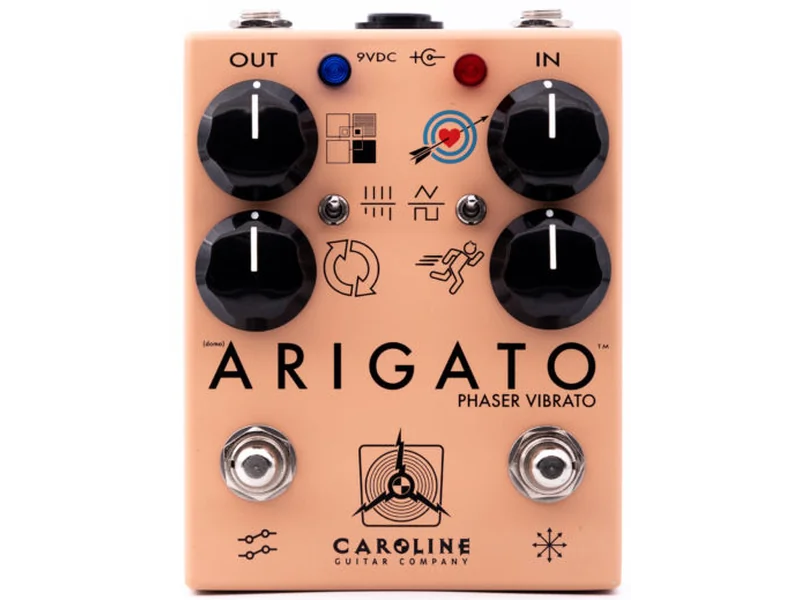
Caroline Guitar Company Arigato Phaser
Analog warmth with lush, spacious character. Boutique build for tone seekers. Perfect for 1970s-inspired psychedelic tones.
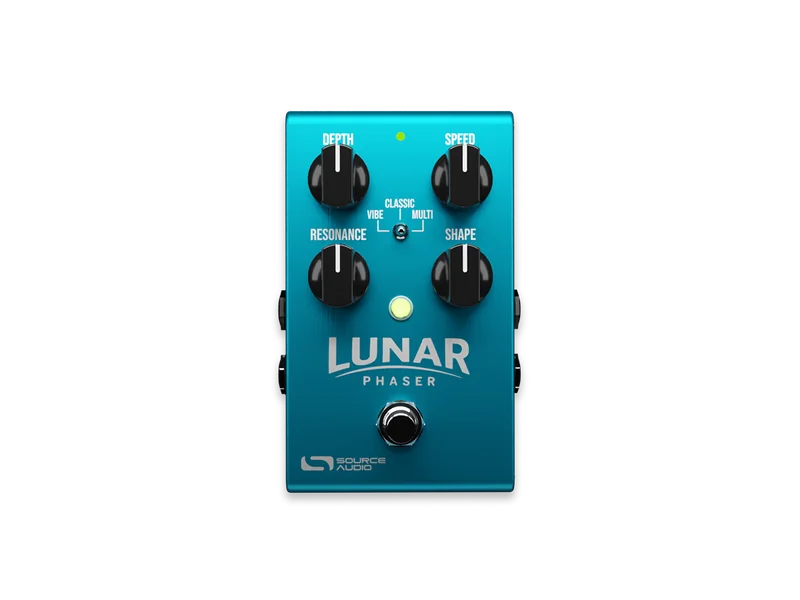
Source Audio Lunar Phaser
Digital precision with multiple phaser types. Stereo capabilities, exact parameter control. Perfect for experimental and ambient music.
Source Audio Lunar Phaser
Advanced modulation options and stereo imaging. Ideal for creating lush, spacious tones in recording contexts.
Caroline Guitar Company Arigato Phaser
Clean analog circuit adds dimension without obvious effect. Perfect for supporting songs rather than dominating them.
Caroline Guitar Company Arigato Phaser
Phasing is the most musical modulation effect. Adds space and dimension to any tone. More artful than flashy.
Phaser creates a sweeping, swooshing effect by mixing your dry signal with a phase-shifted copy. The phase relationships between the dry and shifted signals create moving notches in the frequency response, producing that classic 'whoosh' sound.
What Is Phasing? The Spinning Sound of Space
Phasing is one of the most ethereal, otherworldly effects in guitar. At its core, it's deceptively simple: you're mixing your guitar signal with a phase-shifted (delayed) version of itself. But that simple principle creates one of the most recognizable sounds in rock music.
The Physics of Phase Shifting
To understand phasing, you need to understand phase relationships between two waves.
What is phase?
- Two identical waves starting at the same time are "in phase"
- If one wave is delayed slightly, they're "out of phase"
- When sound waves are out of phase, certain frequencies cancel out while others reinforce
In phasing effects:
- Your guitar signal remains dry (normal)
- A copy is phase-shifted (time-delayed)
- The two are mixed back together
- This creates frequency cancellations (called "notches" in the frequency response)
The visual analogy: Imagine two identical ocean waves. When they're in sync (in phase), they create a bigger wave. When they're offset (out of phase), they can cancel each other out. Phasing creates this cancellation effect with your guitar signal, creating the characteristic "sweep" sound.
The LFO: The Engine Behind the Sweep
Like flangers, phasers use an LFO (Low Frequency Oscillator) to modulate the effect over time.
Rate (Speed):
- Slow rate (0.5-1 Hz): Smooth, psychedelic sweep (1-2 sweeps per second)
- Medium rate (1.5-3 Hz): Classic phaser sound (moderate speed)
- Fast rate (4-8+ Hz): Intense, obvious effect (multiple sweeps per second)
Depth (Intensity):
- Shallow depth: Subtle phase relationship changes
- Medium depth: Obvious, recognizable phaser effect
- Deep depth: Extreme phase changes, almost artificial sounding
The key difference from flanger: Phaser sweeps through phase relationships and create notches in the frequency response. Flanger sweeps through delay times. This makes phaser sound more "abstract" while flanger sounds more "obvious."
Phaser vs. Flanger: The Confusion Resolved
Phasers and flangers are both modulated delay effects, but they work differently.
Phasing:
- Uses phase shifting (all-pass filters)
- Creates notches in specific frequencies
- Sound: Spatial, swirling, psychedelic, abstract
- Less obvious than flanger
- More organic, less mechanical
Flanging:
- Uses delay time modulation (2-20ms)
- Creates comb filter effect (phase cancellation)
- Sound: Whooshing, jet engine, obvious effect
- Immediately recognizable
- Mechanical, engineered sounding
The simple rule: If it sounds like a jet engine or helicopter, it's flanger. If it sounds like your signal is moving through space in a swirling way, it's phaser.
In practice:
- Phaser is more subtle and musical
- Flanger is more aggressive and obvious
- Both are fun, but they serve different sonic purposes
Phasing Techniques: From Subtle to Extreme
Subtle Phasing: Dimension Without Effect
Settings:
- Rate: Very slow (0.3-0.7 Hz)
- Depth: Shallow (20-40%)
- Regeneration/Feedback: 0-10%
- Dry/Wet: 85-95% dry
What it sounds like: Your guitar sounds thicker, wider, slightly "moved" through space. The effect is barely noticeable but creates a sense of movement.
Best for:
- Adding texture to clean tones
- Creating subtle width in rhythm parts
- Ambient or atmospheric music
- Layers under other effects
Pro example: A subtle phaser under a reverb creates space without being obvious.
Classic Phasing: The Signature Effect
Settings:
- Rate: Slow to medium (0.7-2 Hz)
- Depth: Medium (50-70%)
- Regeneration/Feedback: 20-40%
- Dry/Wet: 50-70% dry
What it sounds like: Swirling, spacious, psychedelic. Immediately recognizable as phaser. Smooth and musical.
Best for:
- Solos that need character
- Psychedelic or progressive rock
- Atmospheric passages
- Creating the "classic phaser tone" from 1970s music
Pro example: This is the factory default on most phasers. It's the sound people expect when they think "phaser."
Extreme Phasing: Experimental Tone
Settings:
- Rate: Fast (4-10 Hz)
- Depth: Deep (80-100%)
- Regeneration/Feedback: 50-80%
- Dry/Wet: 20-40% dry
What it sounds like: Intense, overwhelming, almost robotic. The phase sweep is extreme and very obvious.
Best for:
- Experimental or avant-garde music
- Creating unusual textures
- Sound design and ambient music
- Intentionally weird, out-there tones
Pro example: Used sparingly for dramatic effect, not as a traditional solo effect.
The Different Types of Phaser Designs
Analog Phaser
How it works: Uses analog all-pass filters (circuits that shift phase without changing amplitude) to create the effect.
Sound characteristics:
- Warm, organic sweep
- Natural-sounding modulation
- Slight self-noise (electronic hum/hiss)
- Subtle tone coloration even when off
Examples: Classic phasers from the 1970s, some modern boutique designs.
Pros:
- Warm, musical character
- Natural-sounding effect
- Professional, classic tone
Cons:
- More expensive
- More prone to noise
- Simpler controls (less flexibility)
Digital Phaser
How it works: Uses DSP (digital processing) to calculate phase shifts precisely.
Sound characteristics:
- Precise, clean modulation
- Exact parameter control
- Zero self-noise
- Pure tone when off
Examples: Modern phasers, multi-effect units, software plugins.
Pros:
- Precise, flexible control
- Clean tone
- Often cheaper
- More modulation types available
Cons:
- Can sound "digital" or sterile
- Less character than analog
- More complicated interfaces
Stereo Phaser
How it works: Creates separate phaser effects on left and right channels, producing a 3D, spacious effect.
Sound characteristics:
- Wide, spacious, 3D effect
- Lush, ambient sound
- More subtle than mono phasing
- Professional, polished tone
Requirements:
- Stereo output capability (two amps or mixer)
- Stereo monitoring to hear the effect
- Understood in stereo context
Best for:
- Studio recording (stereo capture)
- Live performance with stereo monitors
- Ambient and atmospheric music
- Creating spacious, professional tones
Note: Stereo phaser still works in mono, but sounds like a regular phaser.
Signal Chain Placement: Where Phaser Lives
Standard Placement: After Drives, Before Delay/Reverb
The standard signal chain placement for phaser is:
Guitar → Tuner → Boost → Overdrive → Compression (optional) → [PHASER HERE] → Delay → Reverb
Why this works:
- Phaser modulates clean signal (preserves tone quality)
- Before delay/reverb means both effects can interact with the clean phased signal
- Clean tone + phaser + delay/reverb creates proper layers
Phaser After Reverb: The Experimental Placement
Some players put phaser after reverb for unusual tones:
Pros:
- Reverb tail gets phased (creates movement in the space)
- Unique, experimental effect
- Rarely heard in traditional music
Cons:
- Less musical in most contexts
- Can sound chaotic or uncontrolled
- Not standard approach
Best for: Ambient music, soundscapes, experimental tones.
Phaser Before Drives: The Aggressive Option
Some heavy music players put phaser before overdrive/distortion:
Pros:
- Phaser modulates the input to drives
- Creates extreme tone shaping
- Aggressive and extreme
Cons:
- Less musical
- Hard to control
- Not standard approach
Best for: Extreme metal, experimental heavy music.
The Key Rule: Consider Signal Quality
The main consideration is: Do you want the phaser modulating clean guitar or effect-colored signal?
- Before drives = phaser modulates clean tone (musical)
- After drives = phaser modulates driven signal (unique but less standard)
Phasing in Different Genres
1970s Progressive Rock: Ethereal and Spacious
Tone goal: Create space and dimension. Phaser defines the era.
Settings:
- Rate: Very slow (0.5-1 Hz)
- Depth: Medium (50-70%)
- Feedback: 20-30%
- Dry/Wet: 60-70% dry
Famous tones: Pink Floyd, Genesis, Emerson Lake & Palmer.
1980s New Wave & Post-Punk: Angular and Present
Tone goal: Obvious effect that's part of the song. Phaser is rhythmic.
Settings:
- Rate: Faster (2-3 Hz, sometimes synced to tempo)
- Depth: Medium-deep (60-80%)
- Feedback: 30-50%
- Dry/Wet: 40-50% dry
Famous tones: Radiohead (early), Joy Division (synth-based but similar vibe).
Alternative Rock: Textured and Atmospheric
Tone goal: Subtle texture that supports the song. Present but not obvious.
Settings:
- Rate: Slow (0.7-1.5 Hz)
- Depth: Medium (50-60%)
- Feedback: 0-20%
- Dry/Wet: 70-85% dry
Famous tones: Sonic Youth, My Bloody Valentine, Pavement.
Modern/Shoegaze: Lush and Immersive
Tone goal: Layer effects to create wall of sound. Phaser is part of the texture.
Settings:
- Rate: Variable (0.3-2 Hz)
- Depth: Variable (30-70%)
- Feedback: Variable (0-50%)
- Dry/Wet: Often blended wet (mix of dry and wet)
Best approach: Stack phaser with reverb and delay for lush, spacious tones.
Phasing + Other Effects: The Combinations
Phaser + Chorus: The Lush Combo
Combining phaser and chorus creates an extremely thick, spacious tone.
How to do it:
- Phaser first (subtle settings, 30% wet)
- Chorus second (subtle settings, 40% wet)
- Both modulating together
Sound result: Massive, lush, spacious tone. Sounds like orchestral layering.
Best for: Ambient music, atmospheric solos, creating texture.
Pro note: Don't use this in traditional rock—it's too much effect.
Phaser + Reverb: The Spacious Tone
Phaser before reverb creates space with movement.
Settings:
- Phaser: 50-60% wet, medium rate
- Reverb: Large space, medium decay
Sound result: Spacious, moving tone. Signal feels like it's moving through a large space.
Best for: Clean tones, ambient music, creating space.
Phaser + Delay: The Timing Effect
Phaser before delay creates complex timing interactions.
What happens: Phased signal gets delayed, creating echoes of the swept tone.
Best for: Atmospheric solos, creating rhythmic patterns, experimental music.
Phaser + Compression: The Glue
Compression before phaser cleans up the dynamics before phasing.
Why this works: Compression stabilizes tone, allowing phaser to sweep cleanly without dynamic artifacts.
Best for: Consistent, professional tone.
Common Phasing Mistakes and Pro Solutions
Mistake 1: Rate Too Fast
Symptom: Phaser effect is dizzying, hard to listen to. Sounds like a siren.
Why it happens: Rates above 4 Hz create rapid sweeps that overwhelm the listener.
Fix: Start with 0.5-1 Hz rate. Increase only for specific dramatic moments.
Mistake 2: Feedback Too High
Symptom: Phaser sounds metallic, distorted, out of control.
Why it happens: Feedback over 50% creates excessive resonance that overwhelms the tone.
Fix: Keep feedback in 20-40% range. Higher isn't always better.
Mistake 3: Dry/Wet Too Wet
Symptom: Phaser effect is so obvious the guitar disappears. Tone sounds thin.
Why it happens: 100% wet means hearing only the effect, not the original signal.
Fix: Keep dry signal at 50% minimum. 70% dry is better for musical tones.
Mistake 4: Using Phaser Before Compression
Symptom: Phaser sweep is inconsistent. Volume changes affect the effect weirdly.
Why it happens: Compression after phaser changes the level of the phased signal, affecting the sweep quality.
Fix: Put compression before phaser so the swept signal stays consistent.
Mistake 5: Forgetting Phaser is Subtle
Symptom: You use phaser expecting obvious effect like flanger, then get disappointed.
Why it happens: Phaser is inherently subtler than flanger. It's meant to add dimension, not dominate.
Fix: Understand phaser as a texture tool. Use it for adding space, not for obvious effect. If you want obvious, use flanger instead.
Studio Phasing Techniques
Blending Dry and Wet
In the studio, recording a dry take and a phased take separately gives maximum flexibility.
Process:
- Record guitar clean (dry)
- Record same part through phaser (wet)
- Blend them in mixing (adjust ratio)
- Can automate blend over time
Advantage: If phaser doesn't fit in final mix, you have the dry track to adjust ratio.
Automation: Moving the Sweep
Modern DAWs allow automating phaser parameters over time.
What you can automate:
- Rate (slow to fast)
- Depth (subtle to obvious)
- Feedback (control resonance)
- Dry/Wet balance (fade effect in and out)
Creative use: Phaser very subtle for verses, obvious for choruses. Or fade in effect over time.
Parallel Phasing
Using mixing console's effects send to add phasing alongside the dry signal.
Setup:
- Send guitar to phaser on separate channel
- Keep main channel dry
- Blend amount of phaser return
Advantage: Lets you add phasing without affecting the original tone. Very flexible.
The Psychology of Phasing
The Vintage Connection
Phasing immediately evokes the 1970s and psychedelic rock. Using phaser today automatically adds nostalgic character.
Era associations:
- 1970s progressive rock (Pink Floyd, Genesis)
- 1980s synth-pop and new wave
- 1990s alternative and shoegaze
- Modern ambient and experimental
The Spacious Illusion
Phasing creates a sense of movement through space. Your brain perceives:
- Width (sounds stereo even in mono)
- Depth (sounds like movement in 3D space)
- Psychedelic character (sounds slightly "wrong" in a musical way)
The Artistry Factor
Phasing is more "artsy" than flanger. Musicians who use phaser are often perceived as more experimental or artistic. It's an aspirational effect.
Choosing a Phaser: What to Look For
The most important thing with phasers is: Do you connect with the sound?
Key features to consider:
- Rate range: Can it do slow, psychedelic sweeps? (0.2-1 Hz is ideal)
- Depth control: Can you dial in subtle effects? (Not just "on" or "off")
- Feedback control: Can you shape the character? (20-50% is sweet spot)
- Dry/Wet balance: Can you control effect presence? (50-70% dry recommended)
- Build quality: Will it last on stage? (Important for touring)
Price considerations:
- Budget phasers ($50-100): Basic functionality, usually okay sound
- Mid-range ($100-300): Better controls, more character, professional build
- Boutique ($300+): Premium sound, excellent build, unique character
The pro truth: The most expensive phaser isn't the best phaser. The best phaser is the one you use and connect with sonically.
Phasing vs. Chorus: Another Confusion Resolved
Phasing and chorus are both modulated effects, but many players confuse them. Here's the difference:
Phasing:
- Uses all-pass filters (phase shifting)
- Creates notches in frequency response
- Sound: Swirling, spatial, abstract, psychedelic
- Less obvious effect
- More organic feeling
Chorus:
- Uses slight delay modulation (short delays)
- Creates doubling effect (sounds like multiple guitars)
- Sound: Thick, lush, spacious, full
- Adds perceived doubling
- More obvious thickening effect
The comparison:
- Phaser: "Your signal is moving through space"
- Chorus: "Your signal is doubled/thickened"
In signal chain:
- Phaser is more subtle (use for dimension)
- Chorus is more obvious (use for thickening)
- Both can be used together, but start with one
Phaser Tone Sculpting: Advanced Techniques
Depth Modulation: Creating Movement
Some modern phasers allow modulating the depth parameter itself. This creates a "breathing" effect.
How it works:
- Depth starts shallow (subtle effect)
- Gradually increases (effect gets more obvious)
- Then decreases again
- Creates pulsing, living quality
Result: Phaser that's never static. Effect grows and shrinks, creating dynamic texture.
Feedback Modulation: The Resonant Sweep
Advanced players modulate feedback over time to create resonant peaks that move with the sweep.
What happens:
- Start with low feedback (subtle)
- Increase feedback as rate cycles (resonance builds)
- Decrease feedback as cycle completes (resonance fades)
Result: Phaser that sounds like it's "breathing" or pulsing with resonance.
Rate Sync to Tempo: The Rhythmic Approach
Syncing phaser rate to song tempo creates rhythmic phasing that locks with the music.
Example tempos:
- 120 BPM at 1 Hz = Phaser completes one cycle per beat
- 120 BPM at 2 Hz = Phaser completes one cycle per half-beat
- 120 BPM at 0.5 Hz = Phaser completes one cycle every two beats
Result: Phasing that feels locked to the song instead of floating independently.
Guitar-Specific Phasing Tips
Single-Coil Guitars (Stratocaster, Telecaster)
Single-coil pickups are naturally bright. Phaser on single-coils:
Best settings:
- Rate: Slow (0.5-1.2 Hz)
- Depth: Medium (50-70%)
- Feedback: 15-25%
Why this works: Single-coil brightness can make phaser sweep sound harsh at faster rates. Slower rates let the natural attack shine.
Humbucker Guitars (Les Paul, SG)
Humbuckers are naturally warm and thick. Phaser on humbuckers:
Best settings:
- Rate: Medium (1.5-2.5 Hz)
- Depth: Medium-deep (60-80%)
- Feedback: 25-40%
Why this works: Humbucker warmth handles faster phasing without sounding harsh. Can sustain deeper effects well.
Semi-Hollow Body Guitars
Semi-hollow bodies have natural resonance and feedback characteristics. Phasing behavior:
Consideration: Natural resonance is already present, so be careful with feedback knob.
Best approach:
- Use feedback conservatively (0-20%)
- Let the guitar's natural resonance do the work
- Rely on rate and depth for character
Phasing in Live Performance
The Setup Challenge
Getting phaser to sound good on stage requires different approach than studio.
Live challenges:
- Monitoring is imperfect (hard to hear subtle effects)
- Stage volume masks subtle tones
- Venue acoustics vary wildly
- Other band members competing for space
Professional solutions:
- Use slightly deeper effect settings (more obvious)
- Use stereo monitoring if available (hear the effect better)
- Test in venue before gig (understand acoustics)
- Dial in settings during soundcheck, not during performance
The Technical Requirement
Phaser works best with good monitoring. If you can't hear the effect, you won't perform it well.
What you need:
- Dedicated monitor mix (hearing yourself clearly)
- Enough level on your effects to notice them
- Minimal latency (delay between effect and your hearing it)
The pro truth: Many touring musicians who use phaser live have excellent monitor systems. They can hear the subtle effect clearly.
Phasing in Different Tunings
Standard Tuning
Phaser works great in standard tuning. No special considerations.
Best settings for standard:
- All settings work well
- Phaser responds equally to all strings
Open Tunings (Open D, Open G)
Open tunings create ringing, resonant quality. Phasing in open tunings:
Best approach:
- Use phaser more subtly (feedback 0-15%)
- Let open tuning resonance do the work
- Phaser adds movement to the natural ring
Dropped Tunings (Drop D, Drop C)
Dropped tunings have thick low end. Phasing in dropped tunings:
Best settings:
- Rate: Slower (0.3-0.8 Hz for obvious effect)
- Depth: Medium (50-70%)
- Feedback: 10-30%
Why this works: Lower frequencies sweep slower, so rate should be slower for proper feel.
The Caroline and Source Audio Difference
We have two phasers available. Here's how they differ:
Caroline Guitar Company Arigato Phaser
Character: Warm, analog, organic
Best for:
- Classic 1970s tones
- Psychedelic and progressive rock
- Tone purists
- Players wanting analog warmth
Strengths:
- Analog circuit warmth
- Simple, intuitive controls
- Sounds like vintage pedals
- Professional build quality
Considerations:
- Less flexible (fewer controls)
- More limited modulation types
- Analog circuit self-noise
- Higher price point
Source Audio Lunar Phaser
Character: Precise, digital, flexible
Best for:
- Modern and experimental sounds
- Stereo and ambient music
- Players wanting maximum flexibility
- Studio work
Strengths:
- Digital precision
- Multiple phaser types (different algorithms)
- Stereo imaging capability
- Clean, quiet operation
- Exact parameter control
Considerations:
- Can sound "digital" or sterile
- More complicated interface
- Digital can feel cold (subjectively)
- Overkill for simple phasing needs
When NOT to Use Phaser
Here's when you should skip phaser entirely:
Avoid phaser if:
- You want obvious, dramatic effect (use flanger instead)
- Your song is already spacious/ambient (too much effect)
- You're a beginner (complexity not worth it yet)
- Your board is cramped (phaser is optional texture)
- You play traditional blues or country (not typically used)
The pro insight: Phaser is optional. Many great guitarists never use phaser. The best phaser is the one that fits your music.
Final Thoughts: Phaser as Art
Phasing is less about the pedal and more about the taste in using it.
The difference between users and craftspeople:
- Users: Buy phaser, use it in every song, have it obvious
- Craftspeople: Buy phaser, use it in 1-2 songs per set, dial it in perfectly
The craftspeople approach creates magic. That one moment where phaser appears and disappears, perfectly timed, perfectly balanced. That's when phaser becomes art instead of just effect.
Phasing teaches a valuable lesson: The most powerful tools are used sparingly.
Final Insight: Phaser as a Professional Tool
Phasing is the effect that separates professionals from hobbyists.
Why? Because phaser requires taste and restraint. Anyone can turn on a flanger and get an obvious effect. But using phaser subtly to add dimension and space? That's craft.
Professional approach:
- Use phaser for adding texture, not for obvious effect
- Dial it in subtly (70%+ dry signal)
- Use slower rates (under 1.5 Hz for most music)
- Combine with reverb/delay for maximum effect
- Use sparingly (not every song or every solo)
The players most impressive with phaser aren't the ones using it constantly. They're the ones using it surgically—one perfect moment per song, perfectly dialed in, perfectly placed.
That's the difference between owning a phaser and understanding phasing.
Live Phaser Price Index
UK & European retailers • Updated daily
| Pedal | Style | Country | Price |
|---|---|---|---|
| Caroline Guitar Company Arigato | Analog | USA | — |
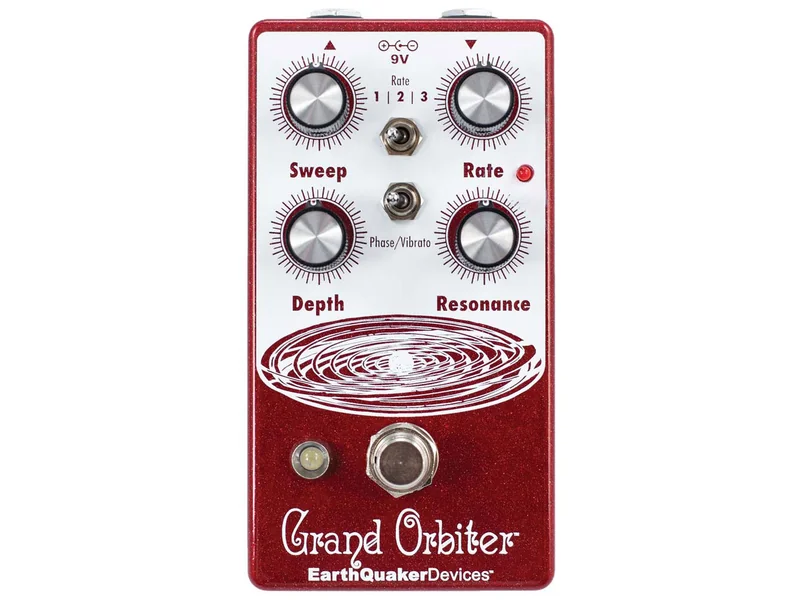
| EarthQuaker Devices Grand Orbiter V3 | 4-stage | USA | — |
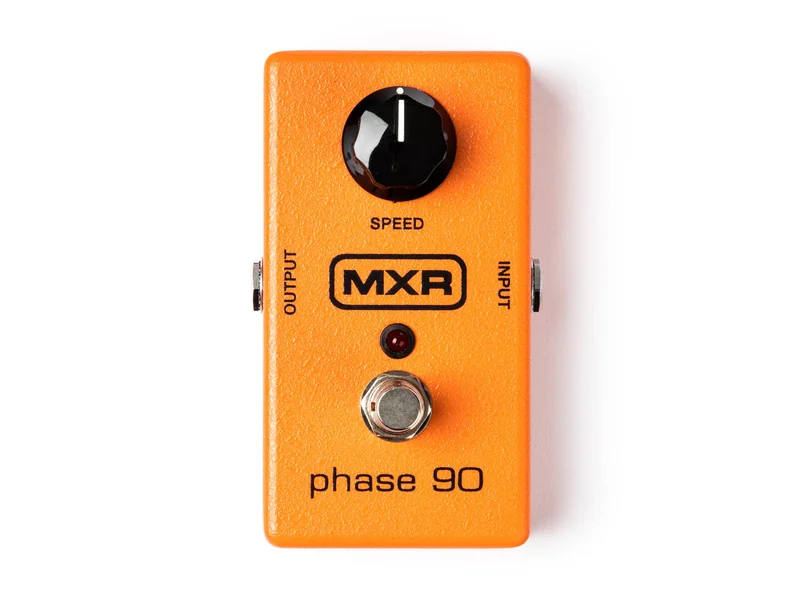
| MXR Phase 90 | Analog | USA | €93 |
| Source Audio Lunar Phaser | 6-stage | USA | €254 |
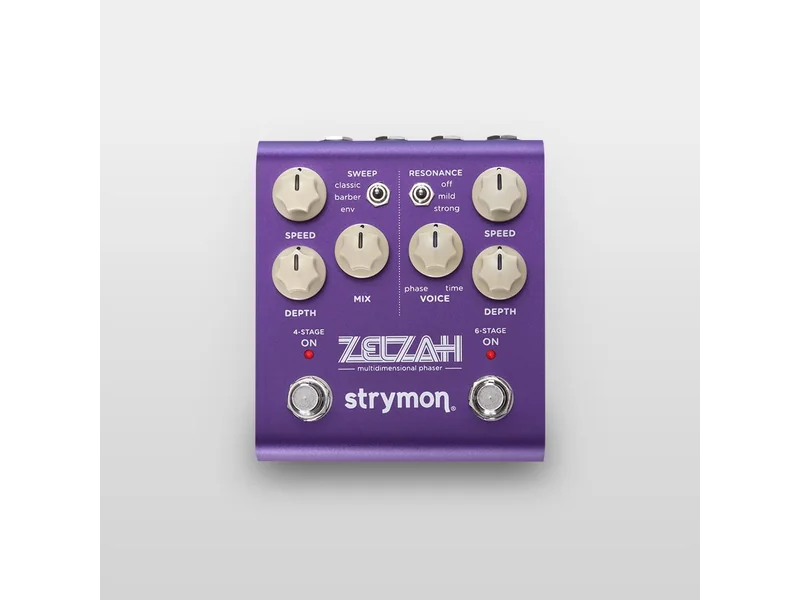
| Strymon Zelzah | 6-stage | USA | — |
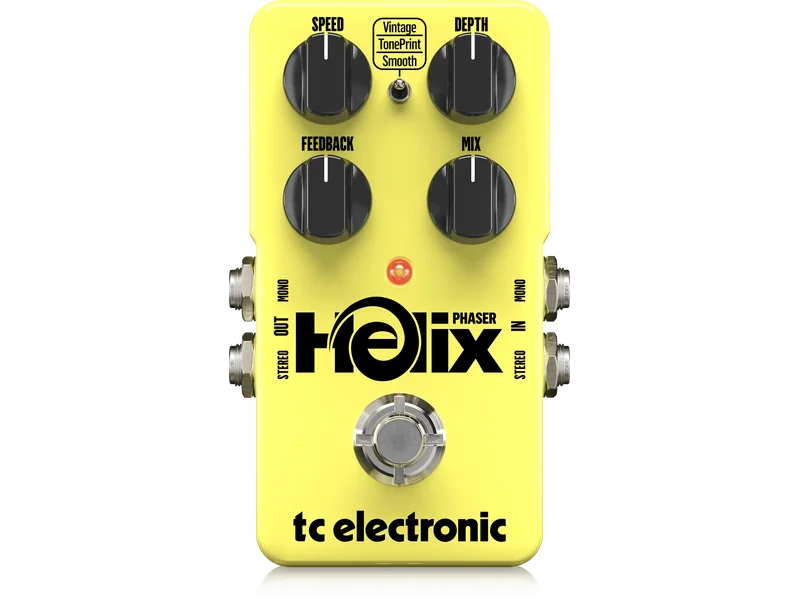
| TC Electronic Helix Phaser | 4-stage | Denmark | — |
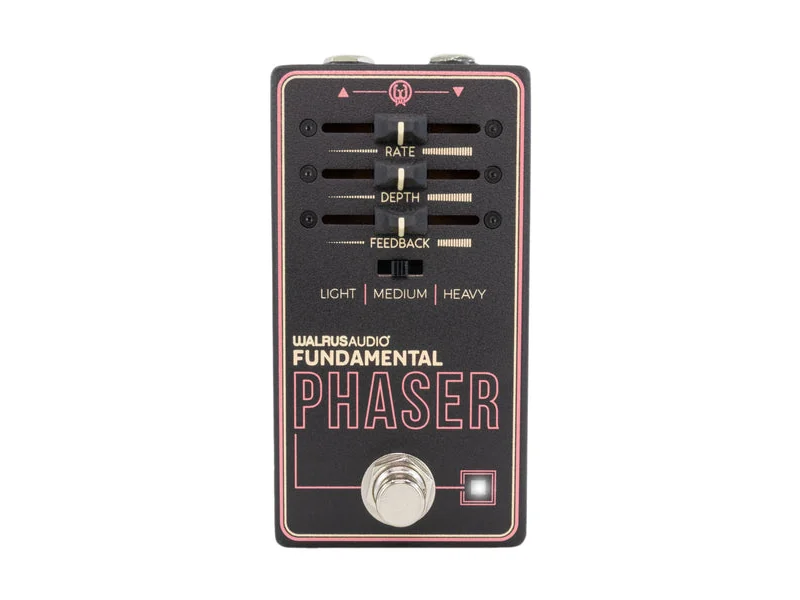
| Walrus Audio Fundamental Phaser | Digital | USA | — |
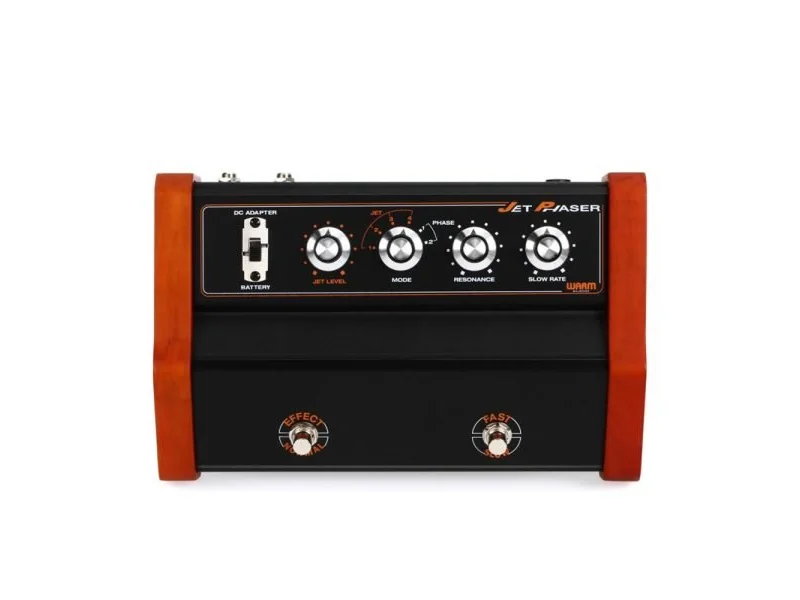
| Warm Audio Jet Phaser | Analog | USA | — |
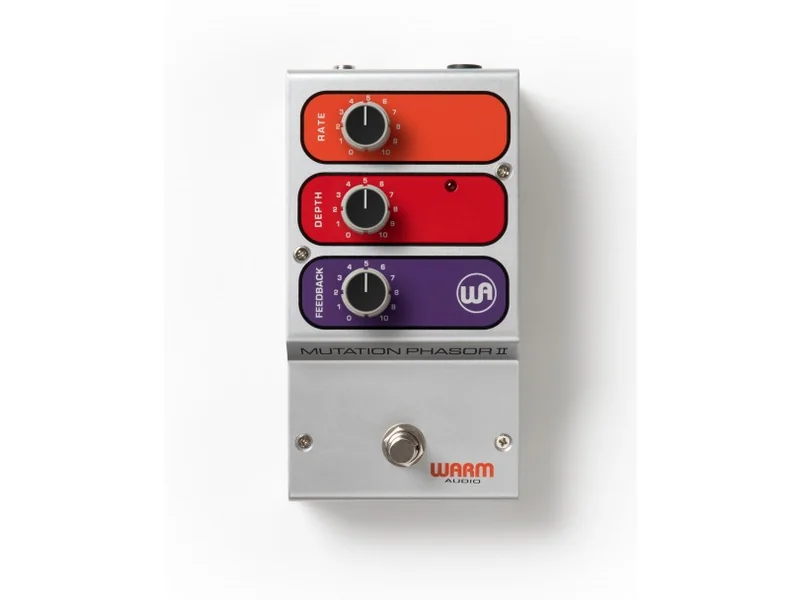
| Warm Audio Mutation Phasor II | Analog | USA | — |